Stochastic Weather Generator (WGEN)
WGEN is R-THYM's stochastic weather generator -- it manufactures many years of statistically realistic daily (then hourly) weather from a handful of monthly statistics, instead of replaying one historical record or one design storm.
Use it when you need long-run or probabilistic studies -- pond sizing, spillway adequacy, risk-based planning -- where a single fetched forecast or a single design event isn't enough, and you don't have (or don't want to limit yourself to) one specific historical year.
How It's Programmed
WGEN follows the method of Richardson & Wright (1984), the same approach used by USDA's CLIGEN and similar agricultural weather generators. Each simulated day is built in three stages:
1. Wet or dry?
Rather than treating each day independently, WGEN uses a two-state Markov chain -- today's chance of rain depends on whether yesterday was wet or dry:
P(wet | yesterday wet) = PWW P(wet | yesterday dry) = PWD
PWW and PWD are set per month, so the model can capture a location's actual rainfall persistence (e.g. wet spells that tend to run several days in a row during a stormy season) rather than assuming every day is a fresh coin flip.
2. How much rain, if wet?
On a wet day, the storm depth is drawn from a gamma distribution:
depth ~ Gamma(α, β)
with shape α and scale β set per month. The gamma distribution is the standard choice for daily rainfall because it naturally produces mostly-small storms with an occasional large one -- the skew real rainfall records show -- rather than a bell curve that would make big storms too rare or small storms too large.
3. Temperature
Daily high and low temperature follow a smooth seasonal cycle (a cosine curve peaking in summer) plus day-to-day random scatter, with two refinements:
- Wet days run cooler. The mean daily high is lower on wet days than dry days (clouds and rain measurably suppress daytime heating), using separate monthly mean/variability inputs for wet vs. dry days.
- Optional correction to known monthly averages. If you have independent monthly temperature records for the site, WGEN can nudge its generated temperatures so their monthly averages match those records, while keeping the day-to-day variability WGEN itself produces.
4. From daily totals to an hourly storm shape
The hydraulic engine runs on hourly rainfall, not daily totals, so each wet day (or run of consecutive wet days) WGEN produces is expanded into 24 (or more) hourly values using the method of fragments: R-THYM keeps a library of real historical storm shapes pulled from the site's own observed hourly record, picks one of a similar length and season to the synthetic wet spell, and rescales that real shape to match the synthetic spell's total depth. The result reads like an actual storm from that site and season rather than a generic triangular or NRCS/SCS shape, while the day's total still exactly matches what WGEN generated.
[!NOTE] Solar radiation generation is not yet implemented, so WGEN currently covers precipitation and temperature only.
Setting It Up
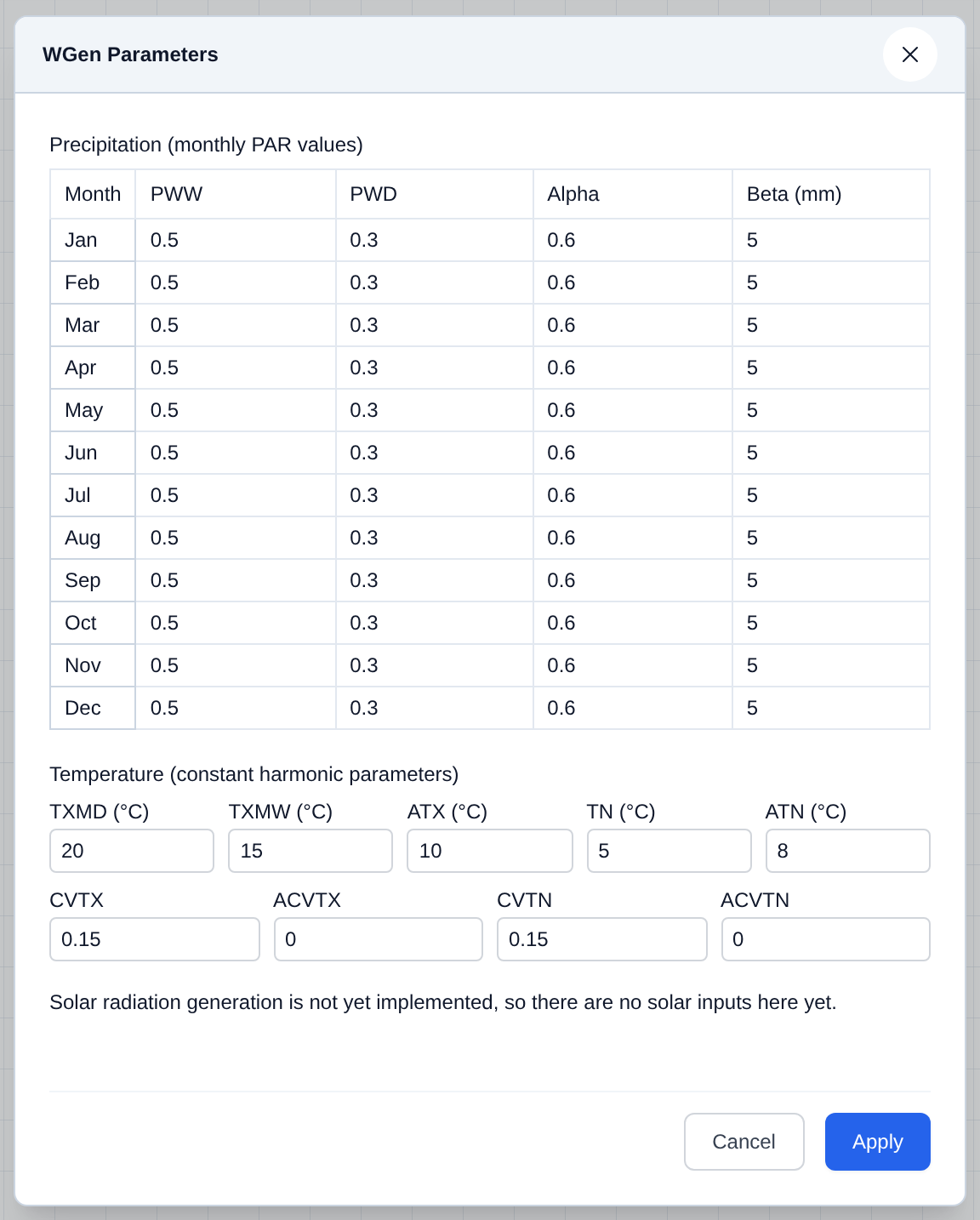
WGEN's monthly and constant inputs are entered in Data → WGen Parameters... -- see Climate Data for the dialog walkthrough (PWW, PWD, Alpha, Beta per month, plus the temperature constants and their coefficients of variation).
If you instead want a single synthetic design event rather than a multi-year stochastic record, use Data → Design Storm... -- see the same Climate Data page.