Design Storm
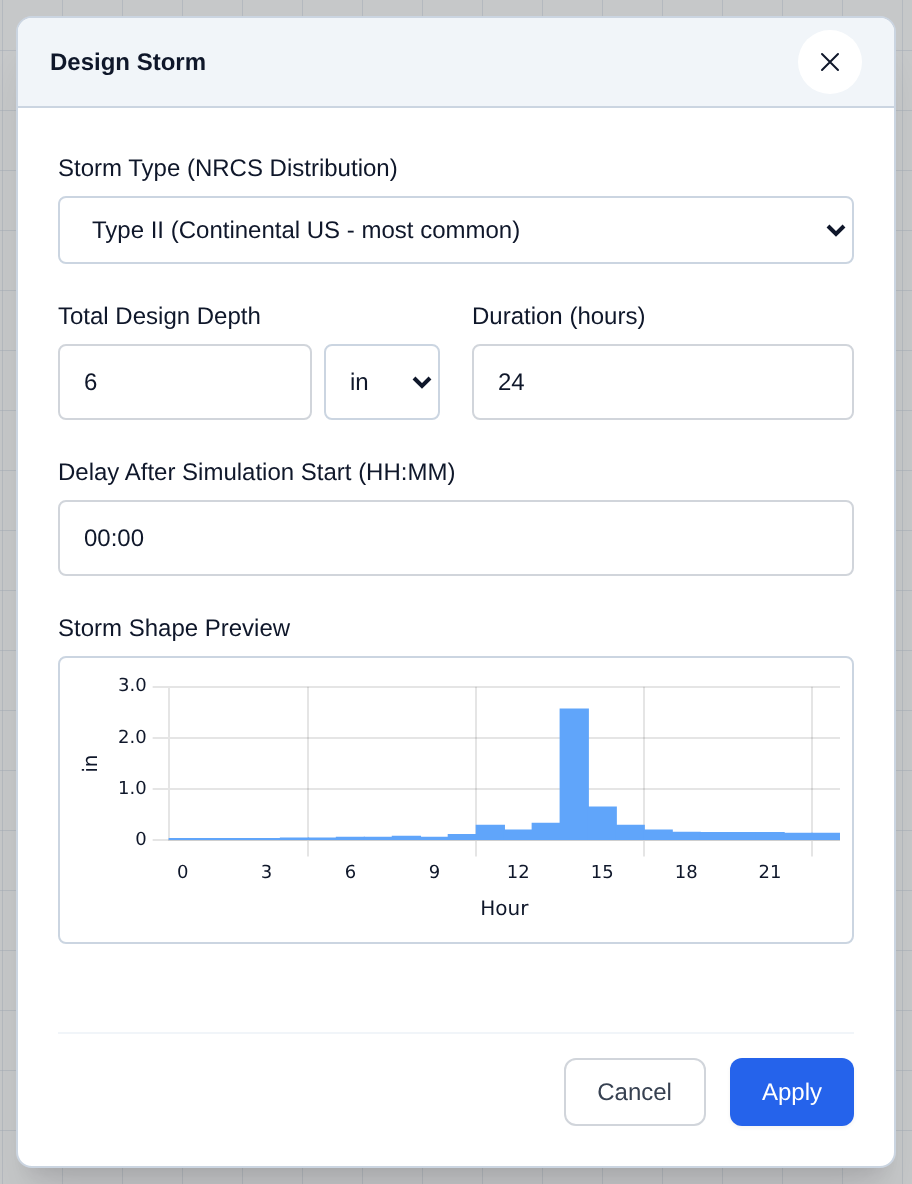
Design Storm injects one synthetic rainfall event -- sized, shaped, and timed however you choose -- directly into the project's hourly weather, so you can test a network against a single design event instead of a full historical or stochastic record.
How It's Programmed
Design Storm builds an hourly hyetograph (a rainfall-vs-time curve) following the standard NRCS/SCS synthetic storm distributions, then writes it straight into the project's hourly rainfall for the window you set -- overwriting whatever rainfall was already there, rather than adding a separate layer on top.
UI Workflow and Configuration
Open Data → Design Storm...:
- Pick a Storm Type (NRCS Distribution) for the regional distribution shape:
- Type I -- Pacific maritime
- Type IA -- Pacific Northwest coastal
- Type II -- Continental US (most common; selected by default)
- Type III -- Gulf Coast / Atlantic
- Enter the Total Design Depth, in inches or mm, defaulting to 6 in.
- Set the Duration (hours), defaulting to 24.
- Optionally set a Delay After Simulation Start (HH:MM) if the storm shouldn't begin at time 0:00, defaulting to 00:00.
- Check the Storm Shape Preview chart, then click Apply.
Configuration Fields
| Field | Description |
|---|---|
| Storm Type (NRCS Distribution) | Regional rainfall-intensity pattern (I, IA, II, or III) applied over the storm duration. |
| Total Design Depth | Total rainfall for the whole event, in inches or mm. |
| Duration (hours) | Length of the storm event. |
| Delay After Simulation Start (HH:MM) | How far into the simulation the storm begins. |
[!NOTE] Applying a Design Storm overwrites the project's existing hourly rainfall for that window. If you want a multi-year, statistically varied record instead of one event, see Stochastic Weather Generator (WGEN).